This is a Raspberry Pi–controlled desktop CNC machine: a 3018-class mill that can cut wood and soft metal from any 3D design, and also run as a laser-engraving CNC. I built it as a weekend-scale project for under $200, and I still think of it as one of the clearest examples I own of “software meets physical work.”
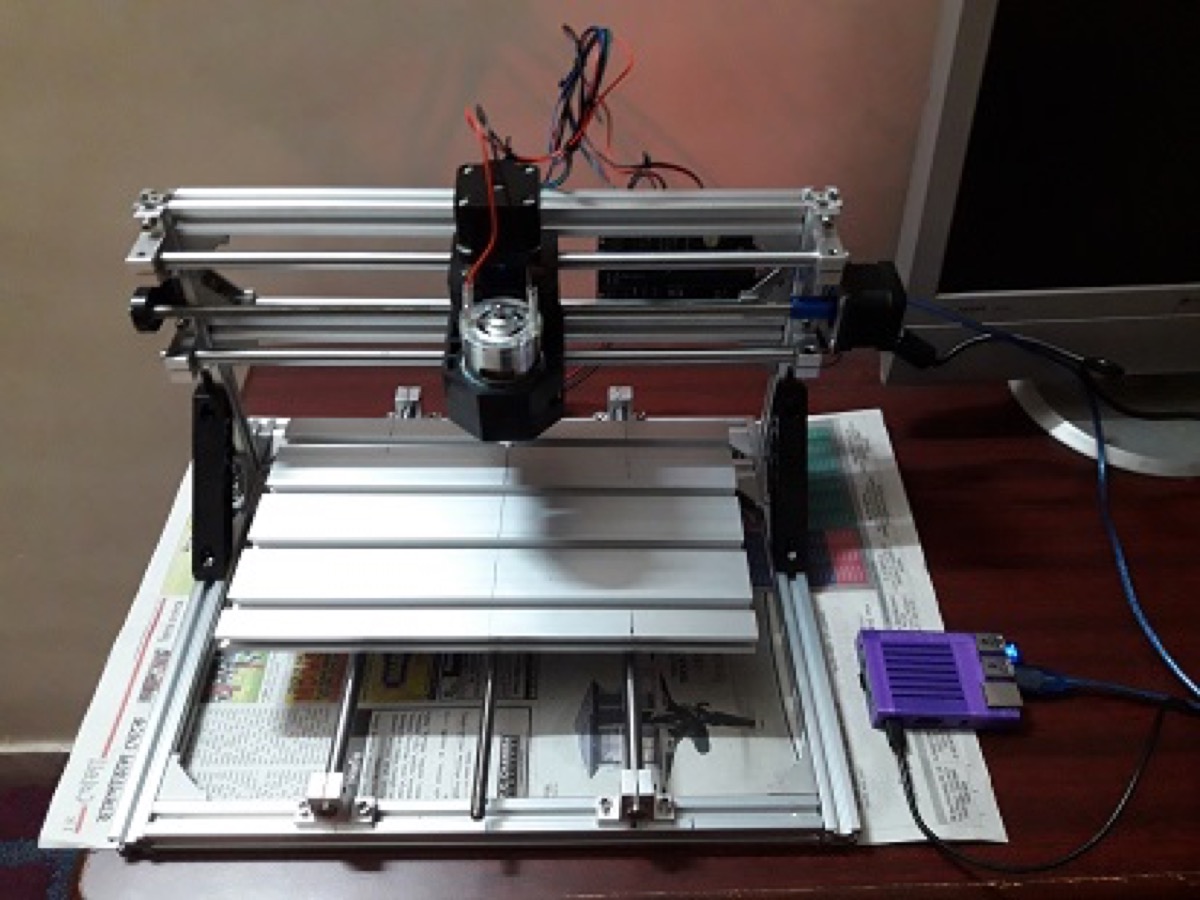
What it can do
- Cut 3D patterns designed in CAD tools such as ArtCAM, Inkscape, Altium Designer, Tinkercad and similar
- Mill wood and soft metal against those designs
- Perform CNC laser engraving when fitted with a laser module
- Accept G-code jobs from the network — laptop, tablet or phone — without sitting at the machine
The motion stack is the familiar desktop CNC pattern: aluminium extrusion frame, lead screws / smooth rods on X, Y and Z, NEMA stepper motors, and a spindle (or laser) on the Z carriage.
Control stack: GRBL + Arduino + Raspberry Pi
I am using GRBL as the G-code runtime. GRBL is a popular open-source, embedded, high-performance G-code parser and CNC milling controller written in optimised C that runs on a straight Arduino. It turns a stream of G-code into timed step pulses for the axes and spindle.
The CNC controller board is connected over USB to a Raspberry Pi. On the Pi I run CNCjs — a browser-based CNC control interface that talks to GRBL. That split matters:
| Layer | Role |
|---|---|
| CAD / CAM | Design the part, export toolpaths as G-code |
| CNCjs (Pi) | Host the job UI, stream G-code, jog and monitor |
| GRBL (Arduino) | Real-time motion control and safety limits |
| Mechanics | Frame, steppers, spindle / laser |
Remote invocation from any device
CNCjs is started on port 3000 and reachable on the home network. From another computer, tablet or phone I open:
http://myraspberrypi:3000That is enough to load a G-code file, jog the machine, start a cut, and watch progress — without a dedicated desktop tethered to the mill. For local use that URL stays on the LAN; exposing it more broadly is a security decision, not a capability one.
Software path from idea to cut
- Design the part in CAD (ArtCAM, Inkscape, Altium, Tinkercad, …)
- Generate toolpaths / G-code for the 3018 work envelope and chosen bit or laser
- Copy or upload the
.nc/ G-code file into CNCjs on the Pi - Home / jog, set work zero, dry-run if needed
- Run the job while GRBL executes the stream
Cost and context
All-in hardware for this build stayed within roughly USD 200 — frame kit, steppers, spindle, controller, and a Pi I already had in rotation. It is not a production shop machine. It is a teaching machine: G-code becomes something you can hear and smell, and a network port becomes a mill.
Watch it run
Original walkthrough from the build (also on my YouTube channel):
References
- GRBL — open-source CNC controller
- CNCjs — web-based CNC interface
- Tags from the original post:
#CNC·#GRBL·#raspberrypi
This piece was first published on 15 January 2019 as Meet My DIY 3018 Raspberry Pi controlled CNC Machine, and is carried here under Technology as part of the digital journey archive.
Filed under
- CNC
- GRBL
- Raspberry Pi
- CNCjs
- DIY
- Hardware