This build connects a 1-inch water / fluid flow sensor to a Particle Photon IoT board, measures flow rate from hall-effect pulses, and publishes both instantaneous and cumulative readings to the Particle Cloud. The same pattern fits dispensers, coffee machines, or any line where you need L/min without a proprietary meter.
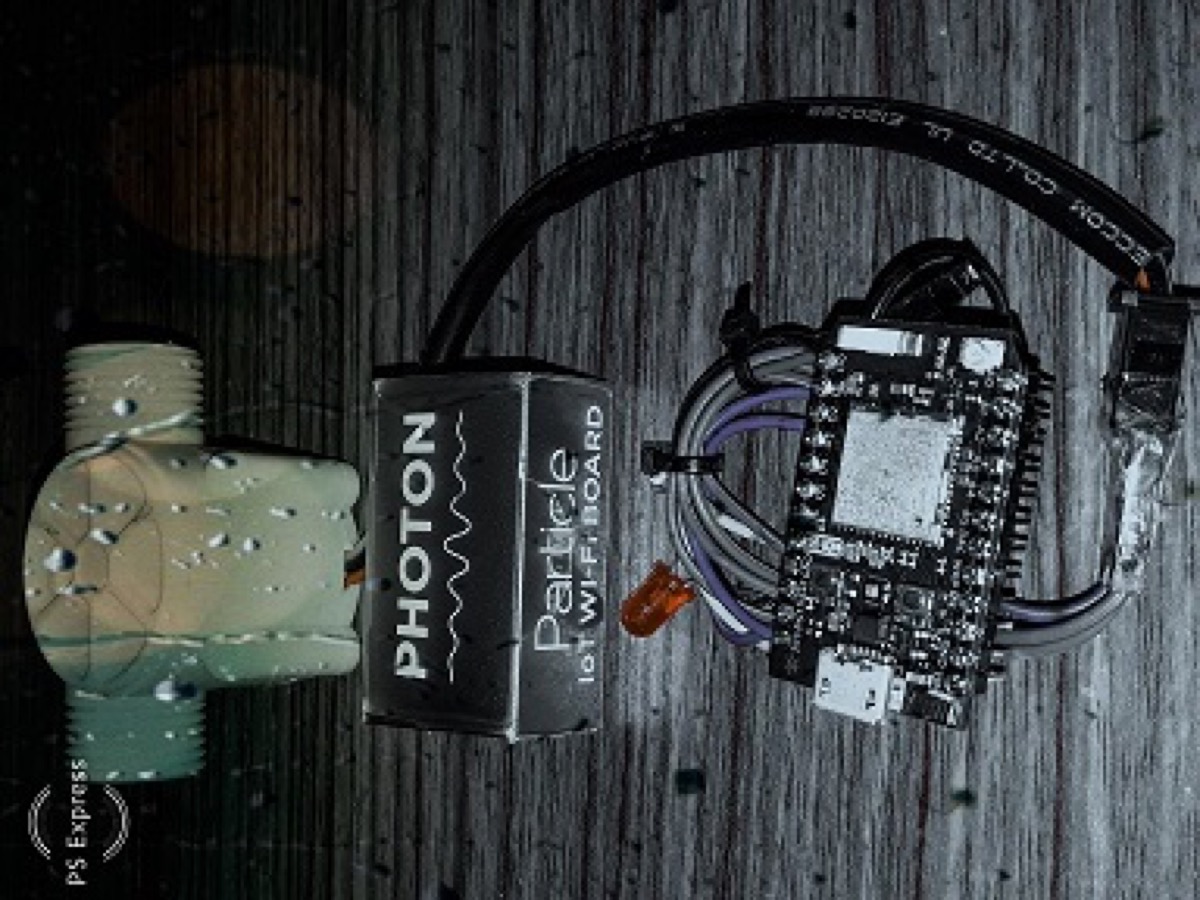
Parts
A. Water flow sensor (1 inch)
Plastic valve body, water rotor, and a hall-effect sensor. Flow spins the rotor; rotor speed tracks flow rate; the hall sensor outputs a pulse train. Suited to water dispensers, coffee machines, and similar fluid lines.
B. Particle Photon
A complete IoT development kit in a thumbnail-sized module: 120 MHz ARM Cortex-M3 plus Broadcom Wi-Fi, with free access to the Particle Cloud (OTA firmware updates, REST API, web and local IDEs).
Photon highlights
| Processor | STM32F205, 120 MHz ARM |
| Memory | 1 MB flash, 128 KB RAM |
| Status | Onboard RGB LED |
| I/O | 18 mixed-signal GPIO and advanced peripherals |
| OS | FreeRTOS |
| Wi-Fi | Broadcom BCM43362, 802.11b/g/n |
| Setup | Soft AP; open-source design |
C. Jumpers and one LED
Status LED on the Photon side for a simple activity indicator.
Wiring
| Flow sensor | Particle Photon |
|---|---|
| Ground | GND |
| V+ | 3.3 V |
| Signal | D2 (interrupt) |
| Status LED (+) | D1 |
How the measurement works
The hall-effect sensor on this class of meter outputs roughly 4.5 pulses per second per litre/minute. Firmware:
- Counts falling edges on D2 in an ISR
- Once per second, converts pulse count → L/min with
calibrationFactor = 4.5 - Derives mL/s for the current second and accumulates total mL
- Prints to serial and **
Particle.publish**es cloud events:FlowRatesmlPerSectotalFlowInML
Firmware (Photon)
byte statusLed = D1;
byte sensorInterrupt = D2;
byte sensorPin = D2;

// ~4.5 pulses/sec per L/min for this hall-effect meter
float calibrationFactor = 4.5;

volatile byte pulseCount;
float flowRate;
unsigned int flowMilliLitres;
unsigned long totalMilliLitres;
unsigned long oldTime;

void setup() {
  Serial.begin(38400);

  pinMode(statusLed, OUTPUT);
  digitalWrite(statusLed, HIGH); // active-low LED

  pinMode(sensorPin, INPUT);
  digitalWrite(sensorPin, HIGH);

  pulseCount = 0;
  flowRate = 0.0;
  flowMilliLitres = 0;
  totalMilliLitres = 0;
  oldTime = 0;

  attachInterrupt(sensorInterrupt, pulseCounter, FALLING);
}

void loop() {
  if ((millis() - oldTime) > 1000) {
    detachInterrupt(sensorInterrupt);

    flowRate = ((1000.0 / (millis() - oldTime)) * pulseCount) / calibrationFactor;
    oldTime = millis();

    flowMilliLitres = (flowRate / 60) * 1000;
    totalMilliLitres += flowMilliLitres;

    unsigned int frac;
    char str[10];
    char str2[10];

    Serial.print("Flow rate: ");
    Serial.print(int(flowRate));
    Serial.print(".");
    frac = (flowRate - int(flowRate)) * 10;
    Serial.print(frac, DEC);
    Serial.print(" L/min");

    Serial.print("  Current Liquid Flowing: ");
    Serial.print(flowMilliLitres);
    Serial.print(" mL/Sec");
    sprintf(str, "%d", flowMilliLitres);
    Particle.publish("FlowRatesmlPerSec", str);

    Serial.print("  Output Liquid Quantity: ");
    Serial.print(totalMilliLitres);
    Serial.println(" mL");
    sprintf(str2, "%d", totalMilliLitres);
    Particle.publish("totalFlowInML", str2);

    pulseCount = 0;
    attachInterrupt(sensorInterrupt, pulseCounter, FALLING);
  }
}

void pulseCounter() {
  pulseCount++;
}Cloud side
Once claimed on Wi-Fi, the Photon streams events through the Particle Cloud. From there you can watch the console, hook webhooks, or pull history via the REST API — the same pattern as any other Photon telemetry project.
Watch the demo
Original video (also on my YouTube channel):
References
- Tags from the original post:
#flow sensor·#iot·#particle photon - Related: Meet my Raspberry Pi programmed Alexa · Meet my 3018 RPi-controlled CNC machine
This piece was first published on 20 March 2019 as Measure flow rates using Particle Photon, and is carried here under Technology as part of the digital journey archive.
Filed under
- Particle Photon
- IoT
- Flow sensor
- Sensors
- DIY